
Backlinks are easy to count. Knowing which backlinks are actually worth having is the difficult part. A website might have 10,000 backlinks and still struggle to rank, while another site with a few hundred relevant links from trusted publishers performs considerably better.
That is why professional SEO work goes beyond simply asking, “How many backlinks does my website have?”
You also need to know:
- Which websites are linking to you
- Which pages attract the strongest links
- Whether your backlink profile is growing
- Which anchors are being used
- Which links have disappeared
- Where competitors are earning links
- Whether those links are actually relevant
- Which domains may be worth approaching yourself
The right SEO tools to check backlinks make this information much easier to find. At Backlinks4U, backlink analysis forms part of the research behind link-building campaigns.
Tools such as Ahrefs and Semrush are useful for collecting data, but the tool itself does not make the SEO decision. The important part is knowing what to do with the information.
So, which backlink checker should you actually use in 2026?
What Are the Best SEO Tools to Check Backlinks in 2026?
There is no single backlink checker that is perfect for every situation. Some tools are much stronger for competitor research. Others are better for monitoring links you have already built, checking anchor text, analysing referring domains or carrying out a quick free backlink check.
Here is a practical comparison.
| SEO Tool | Best For | Free Option | Difficulty |
| Ahrefs | Competitor backlink research | Limited | Intermediate |
| Semrush | Backlink audits and competitor gaps | Limited | Intermediate |
| Google Search Console | Checking links to your own website | Yes | Easy |
| Majestic | Link authority and topical analysis | Limited | Intermediate |
| Moz Link Explorer | DA and quick link checks | Limited | Easy |
| SE Ranking | Backlink monitoring and competitor analysis | Trial/Limited | Easy |
| Ubersuggest | Beginners and small websites | Limited | Easy |
| SEO SpyGlass | Detailed backlink audits | Yes/Limited | Advanced |
| Seobility | Simple backlink checks and monitoring | Yes | Easy |
| Bing Webmaster Tools | Free competitor and backlink research | Yes | Easy |
The best choice depends on what you are trying to discover.
Top 10 SEO Tools to Check Backlinks 2026
1. Ahrefs
Ahrefs is usually one of the first tools SEO professionals open when analysing a website’s backlink profile.
Its Site Explorer makes it relatively straightforward to examine a domain, individual URL or competitor and investigate the links pointing towards it.
Rather than concentrating only on total backlink numbers, Ahrefs allows you to dig into referring domains, anchors, linked pages, new links, lost links and the authority of referring websites.
What Can You Check With Ahrefs?
Ahrefs is particularly useful for checking:
- Referring domains
- Individual backlinks
- New backlinks
- Lost backlinks
- Anchor text
- Domain Rating
- URL Rating
- Dofollow and nofollow links
- Competitor links
- Broken backlinks
- Best pages by links
One of its most valuable uses is competitor research.
Suppose three websites consistently outrank your business for an important commercial keyword. Instead of randomly looking for websites from which to acquire links, you can examine where those competitors already have backlinks.
You can then look for patterns.
Perhaps several competitors have been mentioned by the same industry publications. Maybe they have links from trade organisations, local press, niche blogs or useful resource pages.
That information can turn backlink analysis into an actual outreach strategy.
Best for: Serious competitor backlink analysis.
Our view: If link building forms an important part of your SEO strategy, Ahrefs remains one of the strongest places to start.
2. Semrush
Semrush takes a broader approach because backlinks are only one part of its wider SEO platform.
For backlink work, its Backlink Analytics and related link-building features can help businesses understand referring domains, anchor text, authority signals, backlink types and competitor gaps.
Where Semrush becomes particularly useful is when backlink analysis needs to sit alongside keyword tracking, competitor SEO research and site auditing.
For an agency handling several SEO campaigns, having those datasets within one platform can make reporting considerably easier.
What Is Semrush Useful For?
You can use it to:
- Analyse your backlink profile
- Research competitor backlinks
- Compare competing domains
- Find potential backlink gaps
- Monitor new and lost links
- Examine anchors
- Review referring domains
- Prioritise potential outreach targets
The backlink gap approach is particularly useful.
Instead of asking, “Where can I get another backlink?”, you can ask a much better question:
Which relevant websites link to my competitors but do not currently link to me?
Those domains are often worth investigating because they have already demonstrated an interest in businesses, content or resources within your market.
Best for: Agencies and businesses running wider SEO campaigns.
Our view: Semrush works especially well when backlink analysis needs to be combined with keyword, traffic and competitor research.
3. Google Search Console
Yes.
Google Search Console should be one of the first backlink tools installed on any website because it is free and provides information collected by Google about your site.
Inside the Links report, website owners can examine areas such as:
- Top linking websites
- Top linked pages
- Common linking text
- Internal links
There is, however, an important limitation.
Google Search Console should not be treated as a complete backlink database. It provides backlink information that is useful for understanding your website, but you may see different totals when comparing it with Ahrefs, Semrush, Majestic or other crawlers.
That is normal.
Different platforms discover, crawl, process and report links differently.
When Should You Use Search Console?
Search Console is particularly useful when you want to understand which pages on your own site receive links.
For example, imagine your website contains 200 articles but three guides receive the majority of external links.
That tells you something valuable.
Those pages may contain statistics, research, tools, explanations or resources that other publishers genuinely find useful.
You can use that information to produce more linkable content rather than continually creating articles without considering why anybody would reference them.
Best for: Free analysis of your own website.
Our view: Every website owner should use it, but professional backlink research normally requires an additional third-party crawler.
4. Majestic
Majestic is different from many modern all-in-one SEO platforms because backlinks remain its core speciality.
Two metrics in particular have become closely associated with Majestic:
- Trust Flow looks at the perceived quality and trust of links connected with a website.
- Citation Flow looks more towards the quantity and influence of those links.
Majestic also provides topical information that can be useful when assessing whether a website has authority within a particular subject area.
That matters because link relevance should not be ignored. A strong website about financial services linking naturally to an accountancy company makes contextual sense.
A completely unrelated website publishing hundreds of random articles purely to sell links deserves much closer inspection, regardless of the authority score displayed by an SEO tool.
Where Does Majestic Help Most?
Majestic is useful when:
- Evaluating potential publishers
- Comparing link profiles
- Examining historical links
- Checking topical relevance
- Investigating suspicious link networks
- Comparing Trust Flow and Citation Flow
It is particularly useful as a second opinion. At Backlinks4U, we believe website metrics should support manual review rather than replace it.
A high metric does not automatically make a website a good place for a backlink.
Best for: Link specialists and publisher quality analysis.
5. Moz Link Explorer
Moz Link Explorer is another established backlink research platform. It is particularly popular because of Domain Authority, usually shortened to DA.
Domain Authority has become a widely recognised third-party SEO metric and is frequently used when comparing publishers, websites and competitors.
Moz also provides Spam Score alongside backlink and linking-domain information. That can make it useful for carrying out a quick secondary check on a domain you are considering for outreach.
But there is an important distinction.
Does High DA Automatically Mean a Good Backlink?
No.
DA is not a Google ranking score. Neither is Ahrefs DR, Semrush Authority Score or Majestic Trust Flow. They are third-party measurements designed to help SEO professionals compare websites.
A DA 70 website with irrelevant content, declining organic traffic and questionable outbound-link patterns may be a worse opportunity than a highly relevant DA 35 industry publication with genuine readers.
Metrics should therefore be treated as filters, not final decisions.
When evaluating websites for our guest posting campaigns, authority is only part of the picture. Relevance, organic visibility, editorial quality and the context of the placement also matter.
Best for: Quick authority and Spam Score checks.
6. Linkody
Linkody is a backlink-focused SEO tool designed for businesses, agencies and SEO professionals who want to keep a closer eye on their link-building campaigns.
Unlike broader SEO platforms that include backlink analysis as one feature among many, Linkody concentrates heavily on tracking links and identifying changes to your backlink profile.
This makes it particularly useful after you have started actively building links.
What Can You Monitor With Linkody?
Linkody can help you track:
- New backlinks
- Lost backlinks
- Anchor text
- Dofollow and nofollow links
- Sponsored and UGC attributes
- Referring pages
- Competitor backlinks
- Backlink gaps
- Broken destination pages
- Changes to existing links
One particularly useful feature is its ability to monitor backlinks and alert users when their status changes. For example, if you secure an editorial backlink through outreach and the publisher later removes the link, changes the page or points it towards a broken URL, Linkody can help you identify the problem rather than discovering it months later.
It also provides competitor monitoring and a Link Intersect feature that can highlight websites linking to competing domains but not to your own website.
That turns backlink monitoring into another source of potential link-building opportunities.
Why Does Backlink Monitoring Matter?
Many businesses concentrate entirely on acquiring new backlinks. But previously acquired links can disappear. An article may be deleted, a website may be redesigned, URLs can change or an editor may update old content.
If an important backlink disappears, knowing about it quickly gives you the opportunity to investigate the reason and potentially recover the placement.
For businesses investing consistently in link acquisition, this kind of monitoring can therefore be just as important as discovering new opportunities.
Best for: Monitoring acquired backlinks and tracking competitor links.
Our view: Linkody is a strong choice when the priority is managing and monitoring a growing backlink portfolio rather than using a full all-in-one SEO suite.
7. Ubersuggest
Not everybody needs an enterprise SEO platform. For someone running a new blog, local business website or small online shop, Ubersuggest provides a simpler introduction to backlink analysis.
Its interface is generally easier to understand than platforms built primarily for experienced SEO professionals.
Users can inspect backlink data, referring domains and competing websites without immediately being faced with hundreds of advanced reports.
That makes it useful for learning the basics.
Who Should Use Ubersuggest?
It can work well for:
- Bloggers
- Small business owners
- Freelancers
- New SEO professionals
- Smaller websites
- People learning competitor research
The limitation is depth.
As campaigns become more competitive, businesses usually want more advanced filtering, larger datasets and deeper competitor analysis.
At that point, moving towards Ahrefs, Semrush or another professional platform may make sense.
Best for: Beginners wanting straightforward backlink information.
8. SEO SpyGlass
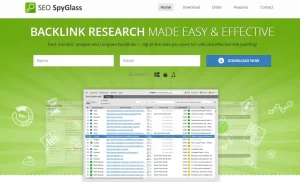
SEO SpyGlass takes a slightly different approach because it is desktop-based software. It provides detailed backlink analysis and can be particularly useful for SEOs who enjoy digging much deeper into link data.
You can analyse your backlink profile, investigate competitors, compare domains and review numerous backlink factors. Its depth is both its advantage and its disadvantage.
A beginner wanting to check ten backlinks probably does not need it. Someone conducting a detailed link audit across a large website may appreciate the additional control.
Who Is SEO SpyGlass For?
It is better suited to:
- Technical SEO professionals
- Link-building specialists
- Agencies
- Detailed backlink audits
- Competitor investigations
- Large backlink datasets
Best for: Detailed desktop-based backlink analysis.
9. Seobility
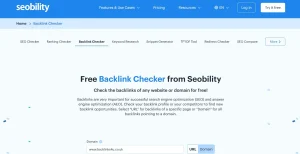
Seobility provides a useful free backlink checker alongside its wider SEO software. You can enter a domain or individual URL and examine backlink information without immediately investing in one of the larger SEO suites.
Its reporting can show information such as referring domains, link types, anchor text and link quality indicators. That makes it particularly useful when you simply want another data source.
This is something we recommend generally with backlink analysis:
Do not become dependent on one metric or one database
If a domain appears excellent in one tool but looks questionable everywhere else, investigate further.
Manual inspection should always be the final stage:
- Open the website.
- Read its articles.
- Check whether people appear to use it.
- Look at the subjects it covers.
- Examine the quality of its outgoing links.
Ask whether you would still want your business mentioned there if DA, DR and every other SEO metric disappeared tomorrow.
That question eliminates a surprising number of poor backlink opportunities.
Best for: Free checks and secondary backlink validation.
10. Bing Webmaster
Yes. Bing Webmaster Tools is frequently overlooked because most SEO discussions concentrate almost entirely on Google. Its Backlinks report, however, can be extremely useful.
Verified website owners can examine referring domains, referring pages and anchor text information. More interestingly, Bing also provides competitor comparison functionality.
You can compare your website with other sites and investigate domains linking to competitors but not to you. That is a useful feature to have inside a free webmaster platform.
As with Google Search Console, Bing’s backlink report should not be considered a complete representation of every link on the web. But when combined with other sources, it can provide additional information without adding another paid SEO subscription.
Best for: Free backlink and competitor comparison research.
Which Backlink Metrics Should You Actually Pay Attention To?
One of the biggest mistakes people make with backlink tools is looking at too many numbers without understanding which ones matter.
A backlink report containing 30 columns is not automatically better than one containing five useful metrics.
When assessing links, we would concentrate on the following areas.
| Metric or Signal | What It Tells You |
| Referring Domains | Number of unique websites linking to the site |
| Authority Metric | Estimated strength according to the SEO platform |
| Organic Traffic | Whether the referring website appears to attract search visitors |
| Topical Relevance | Whether the website relates to your industry |
| Anchor Text | Words being used when linking |
| Link Attribute | Follow, nofollow, sponsored or UGC status |
| Link Placement | Whether the link sits naturally within relevant content |
| Linking Page | The exact page from which the backlink originates |
| Traffic Trend | Whether the referring site appears stable, growing or declining |
| New/Lost Links | How the backlink profile changes over time |
Do not analyse these signals independently.
A good backlink is normally the result of several positive factors working together.
How Can You Tell Whether a Backlink Is Actually Good?
There is no button inside Ahrefs, Semrush or any other platform that can guarantee a backlink will improve rankings.
The software provides signals.
You still need judgement.
When reviewing a backlink opportunity, ask:
Is the Website Relevant?
A link should make contextual sense.
Topical relevance can often be more valuable than chasing a slightly higher authority score.
Does the Website Have Real Visibility?
Look beyond DA or DR.
Check whether the website has genuine ranking pages, useful content and signs of a real audience.
Is the Linking Page Useful?
The quality of the specific page matters.
A backlink buried inside weak content written solely to host outbound links is very different from a natural editorial mention inside a useful article.
Does the Anchor Look Natural?
A backlink profile consisting almost entirely of exact-match commercial keywords can look unnatural.
Branded anchors, URLs, partial matches and naturally descriptive text normally create a more balanced profile.
Would a Real Person Click the Link?
This is one of the simplest quality tests.
A contextual link that genuinely helps the reader makes much more sense than a forced link added simply because an SEO metric looked attractive.
That same quality-first approach is used when selecting websites for our niche edit links.
How Can You Use Backlink Tools to Find Competitor Opportunities?
This is where backlink checkers become genuinely valuable.
Do not simply export 50,000 competitor backlinks and start emailing everybody.
Filter the data first.
Step 1: Choose Your Real Search Competitors
Your business competitors are not always your SEO competitors.
Search your priority keywords and identify the websites repeatedly appearing above you.
Step 2: Analyse Their Referring Domains
Put those domains into Ahrefs, Semrush, Bing Webmaster Tools or another backlink analysis platform.
Look for websites linking to multiple competitors.
Step 3: Remove Weak Opportunities
Exclude obviously irrelevant sites, scraper pages, low-quality directories and suspicious link networks.
Step 4: Identify the Link Type
Find out why the competitor received the backlink.
Was it:
- A guest article?
- A journalist mention?
- A resource page?
- A business directory?
- An interview?
- Original research?
- A statistic?
- A niche edit?
- A useful tool?
- A partnership?
This matters because the existing backlink tells you something about the publisher’s linking behaviour.
Step 5: Build a Better Reason to Link
Do not contact the website merely saying:
“My competitor has a backlink. Can I have one too?”
Give the publisher a reason.
Offer stronger content, original information, useful expertise, a relevant resource or an editorial angle that makes sense for its readers.
This is the difference between collecting backlink data and actually doing link building.
Should You Use More Than One Backlink Checker?
For professional campaigns, usually yes. Each backlink tool maintains its own crawler, database, scoring system and reporting methodology. That is why Ahrefs might report one number while Semrush, Moz, Majestic and Search Console report another.
It does not automatically mean one of them is wrong. They are looking at the web through different datasets.
A practical combination could be:
- Google Search Console for your own Google-reported backlink information.
- Ahrefs or Semrush for deeper competitor research.
- Majestic or Moz for additional domain-level validation.
- Bing Webmaster Tools for another free backlink dataset and competitor comparison.
The goal is not to make all four tools agree.
The goal is to gather enough evidence to make a sensible SEO decision.
What Mistakes Should You Avoid When Checking Backlinks?
Backlink software is powerful, but it can also create poor decisions when metrics are taken too literally.
1. Chasing DA or DR Alone
High authority does not automatically mean high quality.
Always check relevance, organic visibility, page quality and editorial context.
2. Looking Only at Total Backlinks
Ten thousand links from one website do not give you the same diversity as links from hundreds of independent relevant domains.
Referring domains usually provide more useful context than raw link totals.
3. Copying Every Competitor Link
Competitors have bad backlinks too.
Reverse engineering a backlink profile does not mean blindly reproducing everything inside it.
4. Treating Every Low-Authority Domain as Spam
New websites and specialist publishers can have low third-party authority metrics while still being legitimate, relevant and useful.
5. Panicking About Random Spam Links
Most established websites eventually collect strange automated backlinks.
Google itself advises that most websites do not need to use its Disavow Links tool. Disavowing links is an advanced action intended for specific circumstances and should not be carried out simply because an SEO tool labels a few links as toxic.
6. Forgetting to Check Lost Links
Acquiring backlinks is only half the job.
Strong links can disappear.
Monitoring important placements helps you identify losses before months pass unnoticed.
Which Backlink Checker Should You Choose?
- If you simply want to check your own site for free, begin with Google Search Console and Bing Webmaster Tools.
- If you are learning SEO, Ubersuggest or Seobility can provide a simpler starting point.
- If you need serious competitor research, Ahrefs is one of the strongest options.
- If you want backlink data alongside a broader digital marketing toolkit, Semrush makes sense.
- If you concentrate heavily on link authority and topical analysis, look at Majestic.
- For additional authority validation, Moz Link Explorer remains useful.
- Agencies looking for a broader value-focused platform may prefer SE Ranking, while technical users wanting deeper desktop analysis can investigate SEO SpyGlass.
There is no universal winner.
The best SEO tool is the one that gives you the information required to make the next decision.
What Does Backlinks4U Look for Beyond the SEO Tools?
Software can find backlinks. It cannot fully judge whether a placement makes sense for your business.
That still requires human review.
When assessing backlink opportunities, the stronger approach combines data with factors such as topical relevance, publishing quality, organic visibility, link context, anchor suitability and whether the website appears to serve a genuine audience.
This is also why our link building approach combines backlink analysis with publisher research and manual outreach rather than choosing sites from a spreadsheet based on one metric.
For businesses needing editorial placements, UK guest post services can help secure contextual links on relevant publications.
For agencies managing several clients, our white label link building service provides outsourced link acquisition and reporting while the agency keeps control of the client relationship.
Backlink tools should tell you where opportunities exist.
A proper link-building strategy determines which opportunities are actually worth pursuing.
Final Thoughts
The best SEO tools to check backlinks do far more than count links.
They help you understand where your website’s authority comes from, which content attracts references, how your backlink profile is changing and where competitors may have opportunities that you are missing.
Ahrefs and Semrush remain powerful choices for detailed research, while Google Search Console and Bing Webmaster Tools provide valuable free information. Majestic, Moz, SE Ranking, Ubersuggest, SEO SpyGlass and Seobility each bring something different to the process.
But remember one thing:
A backlink tool gives you data. It does not give you judgement.
The strongest backlink strategies come from combining reliable data with manual website checks, relevance, editorial quality and sensible outreach.
That is how backlink analysis moves from another SEO report into something capable of producing real opportunities.
Frequently Asked Questions About SEO Tools to Check Backlinks
What is the best SEO tool to check backlinks?
Ahrefs and Semrush are two of the strongest all-round options for professional backlink research. The best choice depends on whether you need competitor analysis, backlink auditing, monitoring or wider SEO functionality.
What is the best free backlink checker?
Google Search Console is a strong free option for examining links to a website you control. Bing Webmaster Tools is another useful free option and includes backlink comparison features. Seobility also provides a free backlink checker for quick analysis.
Can Google Search Console show all my backlinks?
No backlink report should be assumed to contain every backlink to a website. Google Search Console provides useful link information, but third-party crawlers may discover links that are not displayed within its report.
Why do Ahrefs and Semrush show different backlink numbers?
They maintain different web crawlers and databases. They may discover or refresh links at different times, so backlink and referring-domain counts regularly differ between SEO platforms.
Can I check my competitors’ backlinks?
Yes. Tools including Ahrefs, Semrush, Majestic, SE Ranking, Seobility and Bing Webmaster Tools can help investigate competitor backlink profiles to identify potential link-building opportunities.
Is Domain Authority important when checking backlinks?
Domain Authority is useful as a comparative metric, but it should never be used alone. Relevance, real organic visibility, editorial standards, backlink context and website quality should also be considered.
Should I remove every toxic backlink found by an SEO tool?
No. A third-party toxicity or spam score is not the same as a Google penalty. Suspicious backlinks should be reviewed carefully, and Google’s Disavow Links tool should only be used when there is a genuine reason to do so.
